Tektronix 4-Channel Oscilloscope or a Clamp Meter? How I Decide What Test Equipment to Actually Buy
Posted on 2026-08-04 by Marcus Feld
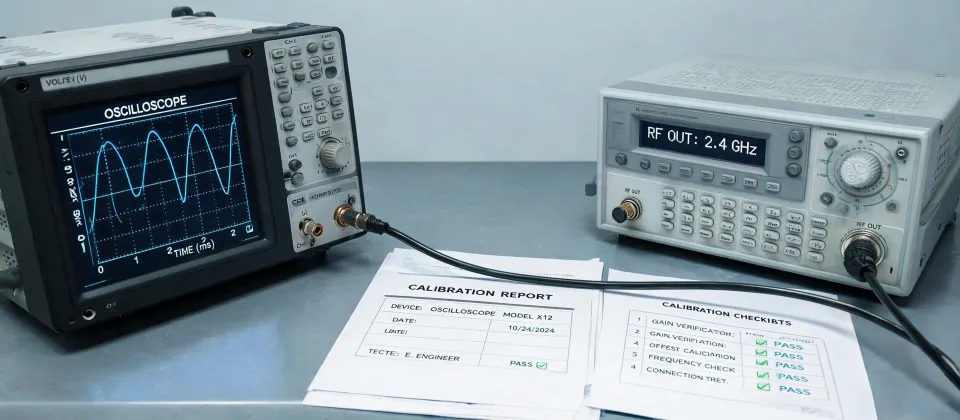
I manage purchasing for a mid-sized engineering services company—roughly 60-80 orders a year across lab supplies, safety gear, and test instruments. When a request comes in for a Tektronix scope or a new multimeter, my job isn't to just place the order. It's to make sure we get the right tool for the person who's actually going to use it. That distinction has saved us a lot of money over the years.
Here's the thing I've learned after five years in this role: there's no universal "best" test equipment setup. The engineer debugging a circuit board needs something completely different from the tech doing automotive diagnostics, or the facilities person monitoring utility meters. So let me walk you through the scenarios I see most often—and the gear I'd actually buy for each.
Tektronix 4-Channel Oscilloscope: When the R&D Engineer Asks
When the request comes from an engineer designing or debugging circuits, we're usually talking about a Tektronix 4-channel oscilloscope. And for most teams, the tektronix mdo34 oscilloscope has been our default for the last couple of years.
Why 4 channels instead of 2? Because modern circuits—embedded systems, power supplies, motor controllers—usually need to look at several signals at once. A clock line, a data line, and a power rail, say. With 2 channels, you're constantly swapping probes and losing the relationship between signals. With 4, you can see the whole sequence in a single acquisition. The engineers on my team made this case pretty emphatically, and they were right.
The MDO34 also has a built-in spectrum analyzer option, which is kind of like getting a basic spectrum analyzer for free. Engineers can do a quick electromagnetic interference check without setting up a separate instrument. That's a genuinely useful feature for a mixed-signal lab, and it's one reason the MDO34 has been a popular pick in the Tektronix lineup.
One thing I've learned the hard way: don't default to the highest-bandwidth model you can afford. In 2021, I assumed "more bandwidth = happier engineers" and approved a nearly top-of-the-line scope. It sat mostly unused because the team's actual projects were running at 50-100 MHz. What they worked with every day were multi-signal timing issues—which is a channel-count problem, not a bandwidth problem. The extra money went into a feature they almost never touched.
The MDO34 is available in bandwidths from 200 MHz up to 1 GHz (source: tektronix.com). Pricing depends a lot on options and bundles—roughly $5,000 to $15,000 based on quotes I've seen as of early 2025. And don't forget the probes. The scope is half the picture; quality probes and accessories add up quickly. When I bid out equipment, I ask vendors to quote a complete package, not just the box.
Clamp Meters and Automotive Multimeters: For the Field and the Shop
Here's a spot where I've seen procurement people overbuy more than anywhere else. The maintenance team submits a request for an "oscilloscope" because a vehicle's acting up. Stop right there.
For the majority of automotive diagnostics—checking battery drain, alternator output, sensor supply voltage, wiring faults—a clamp meter or a multimeter with automotive features is going to serve you better and cost a fraction of a scope. A clamp meter lets you measure current without breaking the circuit, which is a huge deal when you're poking around an intact wiring harness. Most of them also measure voltage, resistance, and continuity, which covers the everyday stuff.
We chased a parasitic battery drain for two days once. The scope in the shop couldn't find it because it wasn't the right tool. A field tech with a proper clamp meter—and some patience—pinpointed the circuit in about an hour. I don't remember the exact numbers, but I do remember the feeling of seeing the problem identified the moment the meter went on the right fuse.
For multimeter purchasing, look for features like peak hold to catch intermittent spikes, min/max recording for overnight battery tests, and temperature measurement if they also work on HVAC systems. Those matter more than bench-accuracy specs nobody will ever validate.
I'll be direct about something: Tektronix is not the brand I think of for clamp meters or automotive multimeters. Their home turf is oscilloscopes and spectrum analyzers. For purely automotive diagnostics, you'll probably end up with a different manufacturer—and that's fine. This isn't about brand loyalty; it's about the job. I'm not an automotive engineer, so I can't speak to every spec comparison. What I can tell you from a procurement perspective is: match the tool to the use case, not the name on the box.
That said, if the tech genuinely needs to see waveforms—like diagnosing CAN bus communication or crank sensor patterns—then yes, you're back to oscilloscope territory. Just don't make that the first stop for a check-engine light.
How to Read a Sensus Digital Water Meter? Probably Not With New Equipment
Here's a request that shows up more often than you'd think: someone asks about how to read a sensus digital water meter. It's not really test equipment at all, but it lands in my inbox because people assume they need a device or a tool to solve what's actually an information problem.
Sensus digital water meters have an LCD that cycles through different screens. The display will show cumulative consumption, and depending on the model, it may also scroll through flow rates, reverse-flow indicators, or diagnostic codes. The trick is knowing which screen is the reading the utility wants. Usually, it's the screen with the decimal point or a "+" symbol—but honestly, the first step should be checking the Sensus documentation or the utility's instructions. It's all published. I'm not a Sensus expert, so I'm not going to guess at every model variation.
I vividly remember finance flagging a utility bill as "obviously wrong" and asking me to buy monitoring gear to prove it. One phone call to the utility—and someone pressing the right button on the existing meter display—settled it. No equipment purchase. The most cost-effective procurement decision is sometimes the one you don't make.
How to Figure Out Which Scenario You're In
When a requisition hits my desk, here's the mental checklist I run through:
- What are you measuring? Voltage or current in a circuit? You're in oscilloscope, multimeter, or clamp meter territory. Repeatable, time-varying signals? Scope. Current draw without disconnecting wires? Clamp meter. Water consumption? You need the meter manual and maybe a phone call, not new gear.
- Who's the end user? An engineer designing embedded systems has different needs than a tech under a dash. Match the tool to their skill level and daily workflow. A capable scope that nobody's comfortable using will just collect dust.
- How often will it be used? Daily or weekly use justifies a higher-quality instrument. Once-a-quarter troubleshooting might mean renting, borrowing, or buying a basic model.
- Have you actually verified the request? I've learned never to assume a requisition automatically means a purchase. Ask what problem they're solving, not what product they want. That conversation has saved us from at least two purchases I can think of, and it'll probably save you from one too.
One more thing to keep in mind: total cost, not just the sticker price. The cheapest quote on paper isn't always the cheapest in the end once you add probes, software options, calibration, and training. I've had vendors come in low on the base unit and make it back on accessories. Now I ask for a complete line-item proposal.
If you're still unsure after all that—and I'll admit, I'm not an engineer, so I can't help you dig into waveform analysis specifics—go talk to the person who submitted the request. Nine times out of ten, they already know what they need; they just haven't been asked the right questions yet.
One last thing: this information was accurate as of early 2025, but test equipment changes fast—pricing, model refreshes, and software features all move. Check the manufacturer's website or talk to your vendor for current specs before you finalize anything.

Marcus Feld
Marcus Feld is an electrical test and measurement analyst specializing in multimeters, oscilloscopes, clamp meters, insulation testers, spectrum analyzers, and data loggers. He applies IEC 61010-2-030 and IEC 61010-031 concepts while examining measurement category, bandwidth, true-RMS response, input loading, and stated uncertainty. His work helps maintenance engineers and test teams choose safe instruments with performance suited to the signals and environments they actually measure.
Leave a technical comment