When You Need a Reading Now: Four Measurement Scenarios and the Tools That Actually Help
Posted on 2026-11-03 by Marcus Feld
-
There is no "best tool" — there is only the right tool for what you're actually measuring
- Scenario 1: A sensor isn't behaving, and the line is down
- Scenario 2: The problem is electrical, and you don't know where yet
- Scenario 3: The process measurement is wrong, and you need to prove it
- Scenario 4: You need to read a Sensus water meter correctly
-
How to figure out which scenario you're actually in
There is no "best tool" — there is only the right tool for what you're actually measuring
Every technician who calls me in a hurry asks some version of the same question: "What should I grab?" And every time, I have to push back first. Not to be difficult — because grabbing the wrong tool costs you an hour you don't have.
What I've learned from handling over 400 emergency service calls in six years is that "which tool" is the wrong question. The right question is: what are you actually trying to measure? Because the answer splits into completely different toolkits depending on whether you're chasing a sensor signal, a voltage, a fluid, or a utility meter.
Here are the four scenarios that account for most of the urgent calls I've coordinated. Find yours, then jump to that section.
- Automation signal problems — a sensor isn't seeing what it should, or a PLC reports something you can't reproduce at the machine.
- Electrical troubleshooting — voltage, current, continuity, or "the thing just stopped working."
- Fluid measurement — flow, mass, or density needs verification on a live process.
- Water meter reading — a Sensus or similar utility meter needs to be read correctly, and someone has already misread it once.
They overlap less than you'd think. And when they do overlap, that's where most of the wasted time lives.
Scenario 1: A sensor isn't behaving, and the line is down
This is the most common emergency I get. Something on the line is misfiring. The PLC shows a missing part. A label is flagged as skewed. Your maintenance tech is standing at the machine with a multimeter and no idea where the signal broke.
Two Balluff tools do most of the damage here, and which one you reach for depends on one question: can you see the sensor from where you're standing, or do you have to walk out to the machine?
If you're at the machine: a Balluff fork sensor is usually the answer
Fork sensors — the U-shaped ones — are the ones I lean on when the job is a fast yes/no check. Label present? Edge detected? Small part counted? A fork sensor gives you that answer in a single digital output, and if it's already installed on the machine, you're usually just confirming that it's working, not replacing it.
Here's where people lose time. I once watched a technician spend almost forty minutes trying to get a Balluff fork sensor to give him an analog output — because he assumed that's what the line needed. It didn't. A plain discrete PNP output would have answered the PLC's question in two minutes. He was solving the wrong problem, with the right tool.
The lesson I took from that: before you touch the sensor, confirm what the PLC or controller is actually reading. Nine times out of ten, the sensor is fine and the wiring or the configuration is where the problem lives.
If you're at your desk: Balluff IO-Link is the shortcut
If the machine runs on IO-Link — and a lot of them do now — you shouldn't be walking out there at all. Balluff's IO-Link masters and device tools let you see what the sensor is seeing without leaving your workstation. Which sensor dropped offline, what its process data looks like, whether it's reporting a diagnostic event. It's genuinely one of the highest-leverage tools in the ecosystem, and it's the reason I push IO-Link on almost every retrofit I quote.
The IO-Link standard itself is maintained under IEC 61131-9, which is why devices from different vendors can interoperate. Balluff's own portfolio covers more than 30 sensor categories that plug into the same IO-Link masters — so once you've got a master on the machine, you're not locked into one sensor type.
Between IO-Link diagnostics and a quick physical check with a fork sensor, most signal emergencies resolve without ever opening an enclosure.
Scenario 2: The problem is electrical, and you don't know where yet
This one looks different from a sensor problem, even though it can feel similar from the outside. A motor trips. A breaker pops. A 24V rail reads something weird. The report is "it just stopped."
The tool most industrial techs reach for — and the one I reach for too — is the Fluke 87V True RMS multimeter. It's not flashy, it's not the cheapest option on the shelf, and it's not the newest meter Fluke sells. But it's the one that shows up in more maintenance bags than almost anything else, and for good reason: it's True RMS, which matters more than most people realize.
Why True RMS actually matters on industrial equipment
Here's the thing about True RMS that a lot of people gloss over. If you're measuring a clean sine wave, an averaging meter and a True RMS meter will agree. But the moment you're near a variable frequency drive, a PWM signal, or anything that isn't a pure sine, they diverge — and they diverge in a way that lies to you about the actual value. That's when a tech spends two hours chasing a fault that isn't there.
The 87V handles that properly. Per Fluke's published specifications, it measures True RMS AC up to a bandwidth that covers most industrial non-sinusoidal signals, and its DC accuracy is stable enough that you're not second-guessing the reading. There are fancier meters in the Fluke lineup. There are cheaper meters too. But the 87V is the one I've seen hold up across more different kinds of jobs.
The mistake that still bothers me
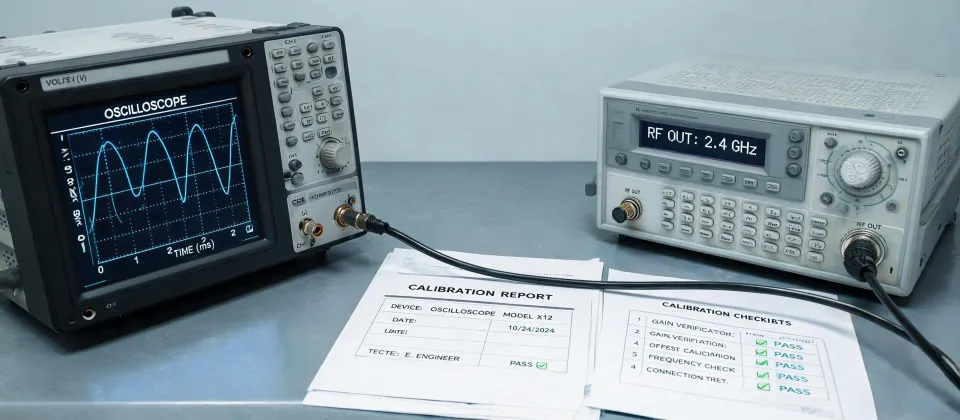
I knew I should have confirmed the meter was calibrated before sending the tech out. It was late, I was tired, and I figured "it's been fine for months — what are the odds?" Well, the odds caught up with me. The meter was drifting. The tech reported a voltage that was roughly 20% off, replaced a perfectly good power supply, and we still didn't fix the original fault that night.
We paid for the extra supply out of our own pocket — about $400 in parts and a night of labor — and the customer had to shut the line down again the next day. That's when I changed the rule: no meter leaves the shop without a fresh calibration sticker. Not negotiable.
Scenario 3: The process measurement is wrong, and you need to prove it
When a customer calls and says "the flow reading is off," the fastest honest answer is often that they need a Coriolis flow meter. Not because Coriolis is always better, but because Coriolis measures mass flow directly — which means it doesn't need temperature and pressure compensation the way a volumetric meter does. For anything where the fluid density changes with conditions, that's the difference between a reading you trust and a reading you argue about.
Coriolis meters also give you density and temperature off the same device, which is useful when the actual problem is that the product has changed, not the meter.
But here's the catch nobody mentions at the quote stage
Coriolis meters are fixed-install instruments. They aren't something you reach for to verify a reading in the field — you can't just clamp one on and look at it. If you're mid-emergency and need to prove a reading is wrong, you have to verify the installation: is the meter the right size for the flow, was it zeroed after installation, and has it been zeroed since the last process change?
I've seen a large Coriolis flow meter that had never been zeroed after commissioning drift roughly 2% over a year. Nobody noticed until a batch record didn't reconcile and half the production team spent two days auditing the wrong thing. The meter was fine. The installation hadn't been finished properly.
Bottom line: if you're specifying Coriolis, the meter is the easy part. Budget time and money for proper commissioning, and don't sign off until zeroing is documented.
Scenario 4: You need to read a Sensus water meter correctly
This one sounds simple until you've watched someone get it wrong and send a bad reading to the billing office. Reading a Sensus water meter isn't complicated, but it's easy to do in a hurry and get subtly wrong.
Most residential and small commercial Sensus meters — the iPERL and similar models — use a direct-reading register. You look at the number display and read it straight across, left to right. The digits that matter for billing are usually the ones that don't spin continuously; the moving dials are the sub-unit indicators, and they're what trips people up.
On larger meters — and on older Sensus models with a round dial face — you'll see multiple dials. Each dial represents a specific multiplier. Read each one individually, and when a dial's pointer sits between two numbers, read the lower number. That last rule bites people constantly because it feels wrong — but the dial is carrying over, not approaching, so the lower number is correct.
The mistake that got reported twice
I once had a technician call in a reading from a compound meter where he was reporting the outer dial instead of the inner register. I said "outer dial." He heard "outer ring." Result: we billed the customer for a hundred times the actual usage, the customer called us furious, and I had to explain to their accounts team that we'd misread the meter.
We fixed it. But I'll be honest — the phone call I had to make that afternoon was worse than the dollar cost. These days, anyone reading a Sensus meter for us has to read the number twice, on two separate passes, and confirm which register is the billing register before they write anything down.
How to figure out which scenario you're actually in
The trick with these four scenarios is that in real life they blur together. A machine down for a sensor fault might actually be a power issue. A flow reading that looks wrong might be a wiring problem on the meter's signal loop. So here's how I triage it when I pick up the phone:
- If the report came out of the control system (PLC, HMI, IO-Link master diagnostics) — start with Scenario 1. Pull the diagnostic page first, and only walk out to the machine if the digital side tells you the sensor itself is the problem.
- If the report is "nothing works" or "the breaker popped" — that's Scenario 2. Grab the 87V, but confirm its calibration before you trust what it tells you.
- If the complaint is about a process reading that doesn't match expectations — Scenario 3. Start by auditing the installation history (was it zeroed? was the size right?) before you assume the instrument is faulty.
- If it's a utility meter and someone needs a number for billing — Scenario 4. Confirm which register is the billing register before anyone writes a number down.
And when two scenarios overlap — say, an IO-Link device is offline and the power rail looks suspicious — work in this order: power first, then signal, then sensor configuration. The power is the cheapest thing to rule out and the most likely thing to be wrong.
I'd rather spend ten minutes asking the right question at the start of a call than send a technician out for ninety minutes with the wrong tool. The tool that saves the most time in an emergency isn't the meter. It's the right question.

Marcus Feld
Marcus Feld is an electrical test and measurement analyst specializing in multimeters, oscilloscopes, clamp meters, insulation testers, spectrum analyzers, and data loggers. He applies IEC 61010-2-030 and IEC 61010-031 concepts while examining measurement category, bandwidth, true-RMS response, input loading, and stated uncertainty. His work helps maintenance engineers and test teams choose safe instruments with performance suited to the signals and environments they actually measure.
Leave a technical comment